
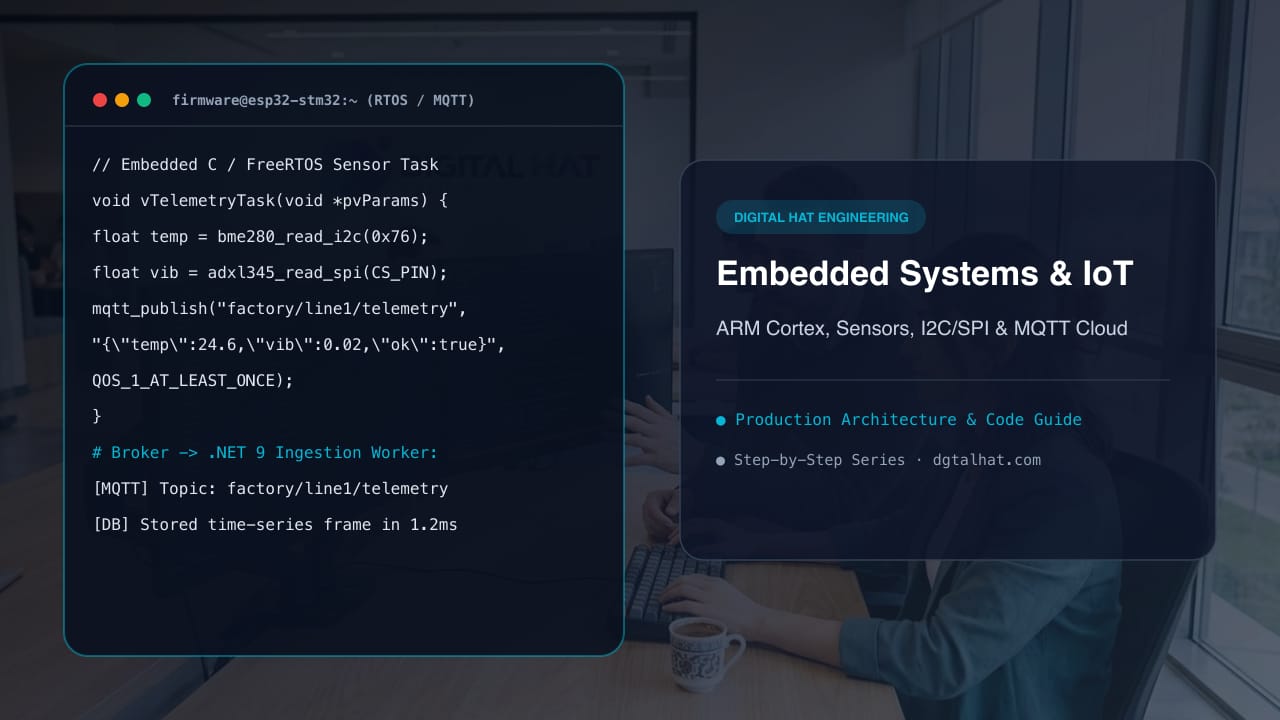
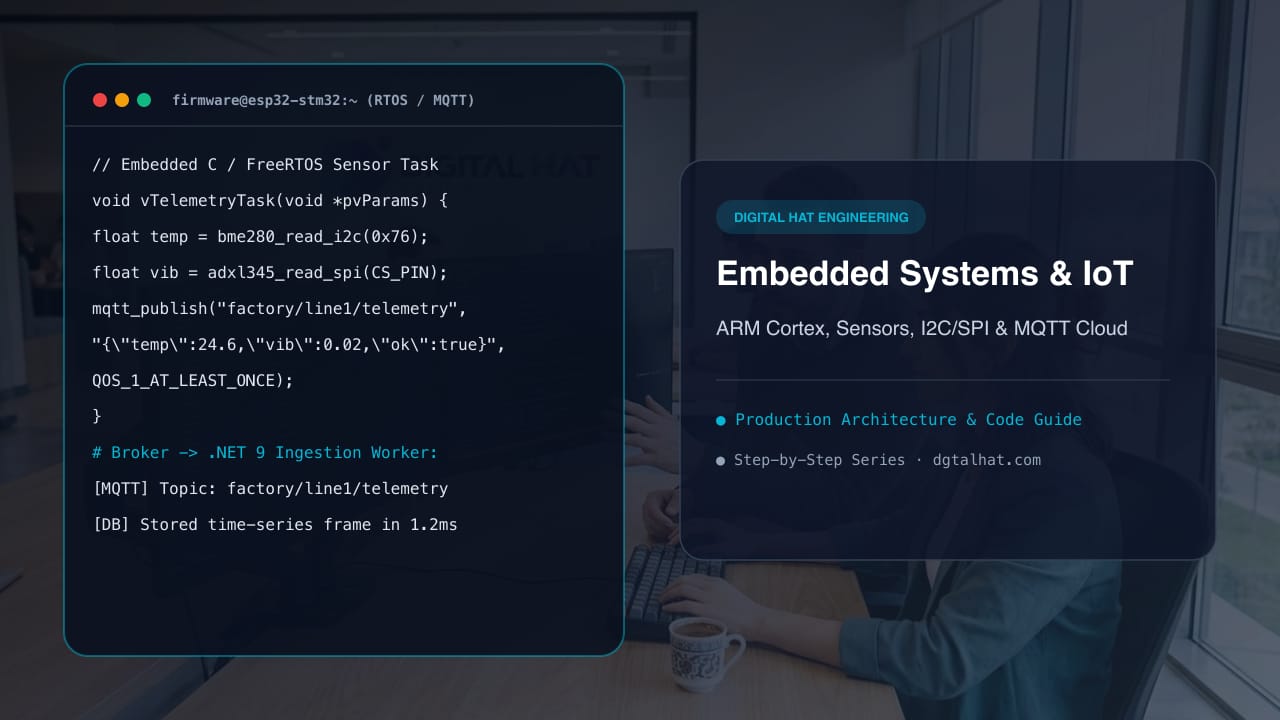
When you click a button on a web page, pixels change on a screen. When a single line of code executes inside an Embedded System, a 5-ton hydraulic press on a factory floor halts in milliseconds, an automotive airbag deploys in 15 milliseconds, or automated irrigation valves open across a commercial greenhouse!
The engineering discipline where software directly controls physical hardware—sensors, relays, actuators, valves, and custom PCB boards—is called Embedded Systems Engineering. Connecting those intelligent field devices over encrypted networks to cloud backends and real-time dashboards is called IoT (Internet of Things). In this full-stack hardware-to-cloud masterclass, we will engineer both the bare-metal C/C++ microcontroller firmware and the cloud-native C# (.NET 9) telemetry ingestion pipeline.
What You Will Master Step by Step in This Embedded & IoT Guide:
1. Microprocessor (MPU) vs. Microcontroller (MCU — STM32, ESP32-S3, ARM Cortex-M): Internal silicon architecture, SRAM constraints, and Hardware Watchdog Timers.
2. Complete End-to-End Firmware + Cloud Project Directory Tree.
3. How Data Flows Over Copper Traces: GPIO, I2C, SPI, UART, ADC, PWM, and CAN Bus compared.
4. Multi-File C/C++ Firmware Walkthrough: Reading raw I2C sensor registers, autonomous edge relay protection, zero-heap stack JSON serialization, and TLS 1.3 MQTT publishing.
5. Cloud (.NET 9) Ingestion Pipeline: UsingBackgroundService,MQTTnet, andSystem.Threading.Channelsto ingest thousands of telemetry frames per second.
1. Inside a Microcontroller (MCU): A Complete Computer on a 7mm Silicon Die
In a desktop PC or cloud server, the processor (MPU), DDR5 RAM sticks, and NVMe SSDs are separate components on a motherboard running a multi-gigabyte operating system. A Microcontroller Unit (MCU — such as an STM32F407 or ESP32-S3) integrates the CPU core, Flash program memory, SRAM, and hardware communication buses onto a single 7x7 millimeter silicon chip:
+-----------------------------------------------------------------------------------+
|                MICROCONTROLLER SILICON DIE (MCU: STM32F4 / ESP32-S3)              |
|                                                                                   |
|  +--------------------+   +-------------------+   +----------------------------+  |
|  | ARM Cortex-M4 /    |   | Flash Memory      |   | SRAM (Static RAM)          |  |
|  | Xtensa Dual-Core   |   | (512 KB - 8 MB)   |   | (64 KB - 512 KB)           |  |
|  | (80 MHz - 240 MHz) |   | Compiled C++ code |   | Stack & static variables   |  |
|  +---------+----------+   +---------+---------+   +--------------+-------------+  |
|            |                        |                            |                |
|  ==========+========================+============================+==============  |
|                INTERNAL HARDWARE BUS MATRIX (AHB / APB & DMA)                     |
|  ======+==============+==============+==============+==============+============  |
|        |              |              |              |              |              |
|    [ GPIO ]      [ I2C / SPI ]    [ UART ]     [ ADC / PWM ]  [ Watchdog WDT ]    |
|   Digital I/O     Sensor Buses   Serial Port   Analog/Motor   Hardware Deadlock   |
+--------+--------------+--------------+--------------+--------------+--------------+
         |              |              |              |              |
         v              v              v              v              v
   (Relay/E-Stop)  (BME280/Accel)  (RS485/GNSS)  (Pressure/Valve) (Auto Silicon Reset)
Two golden rules govern mission-critical embedded firmware:
- No Unbounded Dynamic Heap Allocation (
new/malloc): On an MCU with 320 KB of SRAM designed to run unattended for 5 years, repeatedly allocating dynamicStringobjects causes Heap Fragmentation, crashing the board after a few days. Production firmware uses deterministic stack buffers (char jsonPayload[220]). - Hardware Watchdog Timer (WDT): An independent silicon countdown timer inside the MCU. If your firmware loop freezes due to electromagnetic interference or a deadlocked sensor bus and fails to reset (feed) the watchdog within 10 seconds, the silicon automatically hard-resets the processor!
2. End-to-End Embedded Firmware & .NET Cloud Directory Structure
DigitalHat.SmartFactory.IoT/
├── 1. firmware-esp32/                        # FIELD MICROCONTROLLER FIRMWARE (C / C++17)
│   ├── platformio.ini                        # Target board (esp32-s3), compiler flags & libraries
│   ├── include/
│   │   ├── hardware_config.h                 # GPIO/I2C pinout map, safety thresholds & Watchdog config
│   │   └── bme280_driver.h                   # I2C temperature/pressure register driver header
│   └── src/
│       ├── bme280_driver.cpp                 # I2C 0x76 register read & calibration formulas
│       └── main.cpp                          # Watchdog loop, autonomous safety trip & TLS MQTT publish
│
└── 2. cloud-ingestion-dotnet/                # CLOUD .NET 9 TELEMETRY INGESTION SERVICE (C# 13)
    ├── DigitalHat.IoT.Worker.csproj          # MQTTnet, Npgsql & System.Threading.Channels
    ├── Program.cs                            # Host builder & Dependency Injection
    ├── Contracts/
    │   └── MachineTelemetryFrame.cs          # Immutable telemetry record contract
    ├── Workers/
    │   └── MqttTelemetryIngestionWorker.cs   # TLS 1.3 MQTT subscriber, safety alerting & channel writer
    └── Persistence/
        └── TelemetryBatchRepository.cs       # High-throughput PostgreSQL / TimescaleDB batch writer
3. Hardware Communication Protocols: I2C, SPI, UART, ADC, PWM, and CAN Bus
| Protocol | Physical Wiring | Speed & Reach | Electrical Mechanics & Industrial Use Case |
|---|---|---|---|
| I2C (Inter-Integrated Circuit) | 2 Wires (SDA Data, SCL Clock) |
100 kHz – 3.4 MHz (On-PCB, < 50 cm) | Every slave chip has a unique 7-bit address (e.g., 0x76). Up to 120 sensors can share the same two copper traces. Standard for temperature, humidity, and RTC clock chips. |
| SPI (Serial Peripheral Interface) | 4 Wires (MOSI, MISO, SCK, CS) |
10 Mbps – 80 Mbps (On-PCB, < 30 cm) | Full-duplex synchronous bus far faster than I2C. Used for high-frequency vibration accelerometers, W5500 Ethernet controllers, SD cards, and OLED displays. |
| UART (Serial Communication) | 2 Wires (TX Transmit, RX Receive) |
9600 – 921600 bps (1,200m over RS-485!) | Asynchronous point-to-point link clocked at an agreed Baud Rate (e.g., 115200). Powers GPS modules, cellular 4G/LTE modems, and industrial RS-485 Modbus networks. |
| ADC & PWM | 1 Analog / Digital Pin | MHz sampling rate | ADC converts continuous 0V–3.3V analog sensor voltages into discrete 12-bit integers (0–4095). PWM switches a pin at high frequency to modulate motor speed or proportional valves. |
| CAN Bus (Controller Area Network) | 2 Twisted Pair (CAN_H, CAN_L) |
1 Mbps (40m) – 125 kbps (500m) | Differential signaling rejects severe electromagnetic noise. Standard across automotive ECUs, industrial robotics, elevators, and medical equipment. |
4. Step-by-Step Code Walkthrough: From C++ Firmware to .NET 9 Cloud Ingestion
Step 4.1: Hardware Pin & Threshold Configuration — firmware-esp32/include/hardware_config.h
// File Path: firmware-esp32/include/hardware_config.h
#pragma once
#include <stdint.h>

namespace DigitalHat::FirmwareConfig
{
    // 1. Hardware Pin Mapping (ESP32-S3 GPIO Definitions)
    constexpr uint8_t PIN_I2C_SDA          = 21;
    constexpr uint8_t PIN_I2C_SCL          = 22;
    constexpr uint8_t PIN_EMERGENCY_STOP   = 4;   // Active-Low (Pull-Up) physical E-Stop button
    constexpr uint8_t PIN_COOLING_RELAY    = 15;  // Local relay pin triggering emergency cooling fan
    constexpr uint8_t I2C_ADDR_BME280      = 0x76;

    // 2. Safety & Timing Constants
    constexpr uint32_t WATCHDOG_TIMEOUT_SEC = 10;
    constexpr uint32_t TELEMETRY_PERIOD_MS  = 2000;
    constexpr float    CRITICAL_TEMP_LIMIT  = 85.0f;

    // 3. MQTT Broker Connection Settings (TLS 1.3 Encrypted Port: 8883)
    constexpr const char* DEVICE_ID        = "PRES-HIDROLIK-01";
    constexpr const char* MQTT_BROKER_HOST = "iot.dgtalhat.com";
    constexpr uint16_t    MQTT_BROKER_PORT = 8883;
    constexpr const char* TOPIC_TELEMETRY  = "fabrika/pres-01/telemetri";
    constexpr const char* TOPIC_COMMAND    = "fabrika/pres-01/komut";
}
Step 4.2: Microcontroller Firmware Implementation — firmware-esp32/src/main.cpp
Protected by the hardware watchdog, our firmware reads the I2C sensor register every 2 seconds, triggers an autonomous local cooling relay in under 1 millisecond if temperature exceeds 85°C (never waiting on cloud latency for physical safety!), and formats a stack-allocated JSON payload for MQTT transmission:
// File Path: firmware-esp32/src/main.cpp
#include <Arduino.h>
#include <WiFi.h>
#include <WiFiClientSecure.h>
#include <PubSubClient.h>
#include <Wire.h>
#include <esp_task_wdt.h>
#include "hardware_config.h"

using namespace DigitalHat::FirmwareConfig;

WiFiClientSecure tlsClient;
PubSubClient mqttClient(tlsClient);
uint32_t sequenceNumber = 0;

// Low-level I2C register read fetching 16-bit temperature data from slave address 0x76:
float readI2cTemperatureCelsius(uint8_t i2cAddress)
{
    Wire.beginTransmission(i2cAddress);
    Wire.write(0xFA); // BME280 Temperature MSB Register Address
    if (Wire.endTransmission(false) != 0) return -999.0f; // Sensor bus disconnected!

    Wire.requestFrom(i2cAddress, static_cast<uint8_t>(2));
    if (Wire.available() < 2) return -999.0f;

    uint16_t rawAdc = (static_cast<uint16_t>(Wire.read()) << 8) | Wire.read();
    return (rawAdc / 100.0f);
}

// Asynchronous callback invoked when the .NET 9 cloud backend sends a remote command:
void onCloudCommandReceived(char* topic, byte* payload, unsigned int length)
{
    if (strncmp(reinterpret_cast<const char*>(payload), "STOP_MACHINE", length) == 0)
    {
        digitalWrite(PIN_COOLING_RELAY, HIGH);
    }
}

void setup()
{
    pinMode(PIN_EMERGENCY_STOP, INPUT_PULLUP);
    pinMode(PIN_COOLING_RELAY, OUTPUT);
    digitalWrite(PIN_COOLING_RELAY, LOW);

    // 1. Initialize the I2C hardware bus at 400 kHz (Fast-Mode):
    Wire.begin(PIN_I2C_SDA, PIN_I2C_SCL, 400000);

    // 2. Arm the Hardware Watchdog Timer for 10 seconds (auto-resets silicon on deadlock):
    esp_task_wdt_init(WATCHDOG_TIMEOUT_SEC, true);
    esp_task_wdt_add(NULL);

    mqttClient.setServer(MQTT_BROKER_HOST, MQTT_BROKER_PORT);
    mqttClient.setCallback(onCloudCommandReceived);
}

void loop()
{
    // Feed the hardware watchdog timer to confirm healthy execution:
    esp_task_wdt_reset();

    if (!mqttClient.connected())
    {
        if (mqttClient.connect(DEVICE_ID))
        {
            mqttClient.subscribe(TOPIC_COMMAND, 1); // Subscribe to commands with QoS 1
        }
    }
    mqttClient.loop();

    // 1. Sample physical sensors:
    float tempC = readI2cTemperatureCelsius(I2C_ADDR_BME280);
    float vibrationRms = analogReadMilliVolts(34) / 100.0f;
    bool isEmergencyPressed = (digitalRead(PIN_EMERGENCY_STOP) == LOW);

    // 2. AUTONOMOUS EDGE SAFETY TRIP: Trigger cooling relay immediately if temp >= 85°C!
    if (tempC >= CRITICAL_TEMP_LIMIT || isEmergencyPressed)
    {
        digitalWrite(PIN_COOLING_RELAY, HIGH);
    }

    // 3. Serialize JSON on the stack with zero dynamic heap allocation:
    char jsonPayload[220];
    snprintf(jsonPayload, sizeof(jsonPayload),
        "{\"deviceId\":\"%s\",\"seq\":%lu,\"tempC\":%.2f,\"vibration\":%.2f,\"eStop\":%s}",
        DEVICE_ID, ++sequenceNumber, tempC, vibrationRms, isEmergencyPressed ? "true" : "false");

    // 4. Publish telemetry frame over TLS MQTT:
    mqttClient.publish(TOPIC_TELEMETRY, jsonPayload, false);
    delay(TELEMETRY_PERIOD_MS);
}
Step 4.3: Cloud (.NET 9) Ingestion Worker — Workers/MqttTelemetryIngestionWorker.cs
On the cloud side, our .NET 9 BackgroundService maintains a persistent TLS 1.3 connection to the MQTT broker using wildcard topic subscriptions (fabrika/+/telemetri), evaluates real-time safety rules, and pushes frames into a non-blocking Channel<MachineTelemetryFrame> for batch database persistence:
// File Path: cloud-ingestion-dotnet/Workers/MqttTelemetryIngestionWorker.cs
using System;
using System.Text.Json;
using System.Threading;
using System.Threading.Channels;
using System.Threading.Tasks;
using Microsoft.Extensions.Hosting;
using Microsoft.Extensions.Logging;
using MQTTnet;
using MQTTnet.Client;

namespace DigitalHat.IoT.Worker.Workers;

public sealed record MachineTelemetryFrame(
    string DeviceId,
    long Seq,
    double TempC,
    double Vibration,
    bool EStop,
    DateTimeOffset ReceivedAtUtc
);

public sealed class MqttTelemetryIngestionWorker : BackgroundService
{
    private readonly ILogger<MqttTelemetryIngestionWorker> _logger;
    private readonly ChannelWriter<MachineTelemetryFrame> _ingestionQueue;
    private static readonly JsonSerializerOptions JsonOpts = new() { PropertyNameCaseInsensitive = true };

    public MqttTelemetryIngestionWorker(
        ILogger<MqttTelemetryIngestionWorker> logger,
        ChannelWriter<MachineTelemetryFrame> ingestionQueue)
    {
        _logger = logger;
        _ingestionQueue = ingestionQueue;
    }

    protected override async Task ExecuteAsync(CancellationToken stoppingToken)
    {
        var factory = new MqttFactory();
        using var mqttClient = factory.CreateMqttClient();

        // Asynchronous event handler fired the millisecond an MQTT packet arrives:
        mqttClient.ApplicationMessageReceivedAsync += async e =>
        {
            string payloadText = e.ApplicationMessage.ConvertPayloadToString();
            var raw = JsonSerializer.Deserialize<MachineTelemetryFrame>(payloadText, JsonOpts);
            if (raw is null) return;

            var frame = raw with { ReceivedAtUtc = DateTimeOffset.UtcNow };

            // 1. Real-time safety & anomaly check:
            if (frame.EStop || frame.TempC >= 85.0 || frame.Vibration >= 12.5)
            {
                _logger.LogCritical(
                    "[CRITICAL FIELD ALARM] Device: {Device} (Seq: #{Seq}) | Temp: {Temp}°C | Vibration: {Vib} mm/s | E-Stop: {EStop}",
                    frame.DeviceId, frame.Seq, frame.TempC, frame.Vibration, frame.EStop);
            }

            // 2. Enqueue into lock-free in-memory Channel for high-speed TimescaleDB batch insertion:
            await _ingestionQueue.WriteAsync(frame, stoppingToken);
        };

        var options = new MqttClientOptionsBuilder()
            .WithClientId($"dh-cloud-ingestor-{Environment.MachineName}")
            .WithTcpServer("iot.dgtalhat.com", 8883)
            .WithTlsOptions(o => o.UseTls())
            .WithCleanSession(false)
            .Build();

        await mqttClient.ConnectAsync(options, stoppingToken);

        // Subscribe to 'fabrika/+/telemetri' ('+' single-level wildcard matches all factory machines)
        await mqttClient.SubscribeAsync("fabrika/+/telemetri", MQTTnet.Protocol.MqttQualityOfServiceLevel.AtLeastOnce, stoppingToken);
        _logger.LogInformation("MQTT TLS 1.3 Cloud Telemetry Ingestor active on topic: fabrika/+/telemetri");

        await Task.Delay(Timeout.Infinite, stoppingToken);
    }
}
5. Up Next: Industrial IoT (IIoT), Factory PLCs, Modbus TCP / OPC-UA & Edge Gateways
We have mastered microcontroller architecture, I2C/SPI/UART/CAN buses, watchdog-protected C++ firmware, and .NET 9 MQTT cloud ingestion! In Part 2 of our IoT Series, we enter heavy industrial manufacturing to read Modbus TCP holding registers and OPC-UA nodes from factory PLCs using a resilient Store-and-Forward Linux Edge Gateway.
Did you find this engineering guide helpful?
Give it a like or share it with your team and network.